
Appearance
Ingestion Pipelines
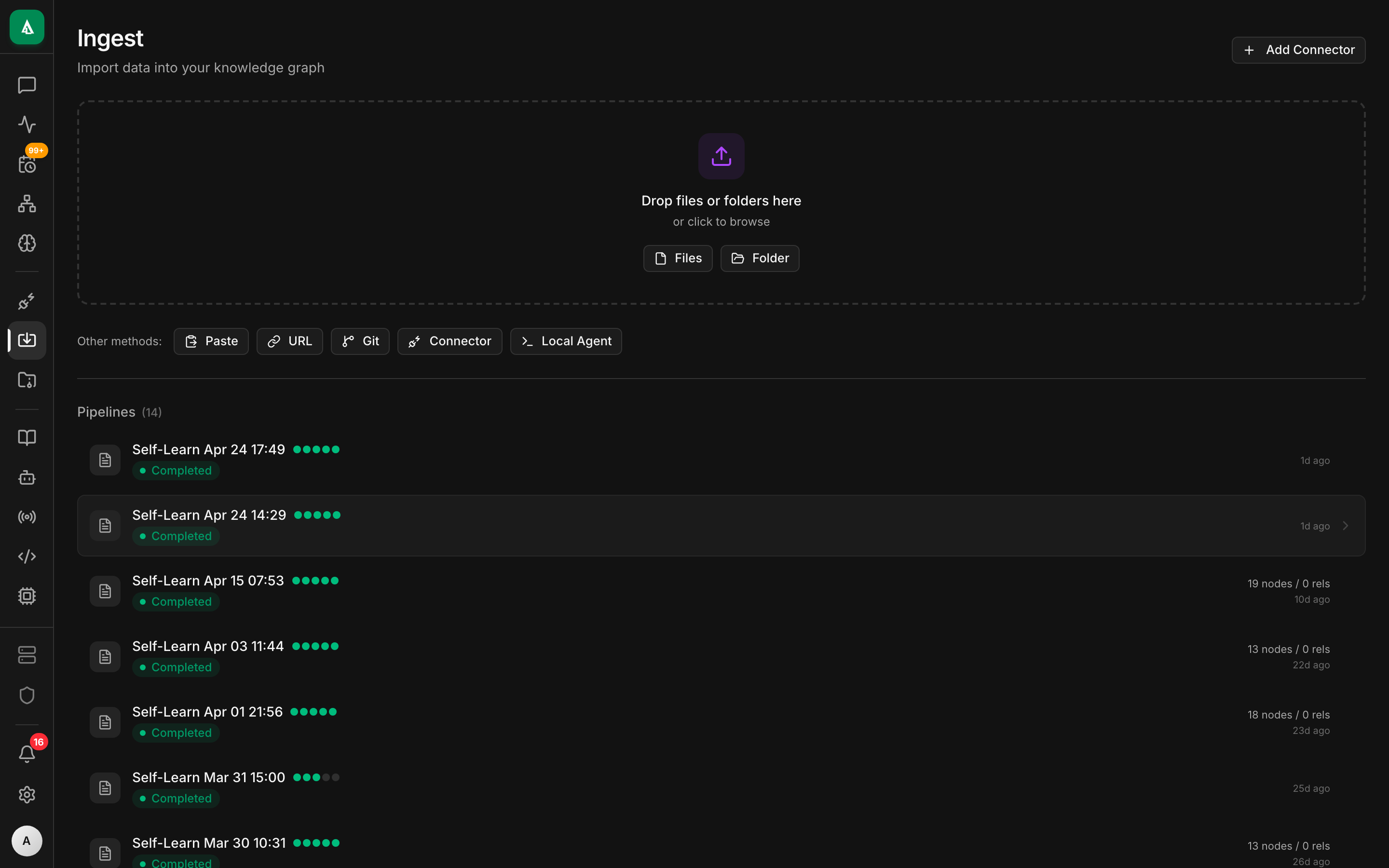
An ingestion pipeline is how Agentcy turns an external system into graph knowledge. A pipeline runs one or more connectors, normalizes their output into Context Engine nodes and edges, and schedules incremental resyncs. Pipelines are versioned, reversible, and observable.
Two flavors of pipeline
This page describes the original, connector-driven pipelines that run on a schedule. Agentcy also ships a newer, continuous-ingest pipeline model — webhook URLs, S3 file drops, and (soon) OTLP / Kafka — exposed under Explore → Pipelines and /api/v1/context/pipelines. Both write through the same Context Engine and share the realm/run-history model. See the dedicated Pipelines how-to section for the continuous flavor.
Related concepts:
- Connectors & Tool Providers — what a connector is.
- Context Engine & Realms — where pipeline output lands.
- Tasks, Workers & Workflows — how pipelines actually execute.
- How-to: Pipelines (Continuous Ingest) — webhook + filedrop + telemetry guides.

Anatomy of a pipeline
Each pipeline has:
- A name (unique per org).
- A target realm — all nodes written get
realm = "<value>"so queries can be scoped. - One or more steps — each step runs a connector with its own config.
- A schedule — cron expression or
manual. - A retention policy — how long to keep superseded nodes before prune.
Lifecycle
- validate — every connector step runs
validate_config(credentials, scopes, reachability). Invalid configs never get toready. - running — a worker claims the run. Each step produces a batch of nodes + edges, streamed to
agentcy-graphin transactions sized byPIPELINE_BATCH_SIZE. - finalize — after all steps succeed, the previous snapshot is superseded. Orphan nodes (present in the previous run, absent now) are soft-deleted (
archived_atset). - failed — nothing is published. The previous snapshot stays current. Retry or revert from the UI.
Incremental vs. full sync
Every connector declares which it supports. Most support both.
- Full sync — re-reads everything. Slower, catches drift (renames, deletions).
- Incremental sync — uses provider deltas (GitHub
since, K8s resource versions, etc.). Fast; default for scheduled runs.
The first run of a pipeline is always full. Scheduled runs are incremental unless you request a full sync from the UI or pass {"mode":"full"} to the run endpoint.
Realms prevent collision
Multiple pipelines can write to the same Context Engine safely because every node and edge carries a realm property. Queries filter by realm (or * to cross-search). A pipeline writing to design cannot clobber a node written by the infrastructure pipeline — even if the source_id matches — because realm is part of the primary key.
Wire a pipeline
Minimum viable pipeline over the REST API:
bash
curl -X POST http://localhost:8080/api/v1/pipelines \
  -H "authorization: Bearer $TOKEN" -H 'content-type: application/json' \
  -d '{
    "name": "github-weekly",
    "realm": "development",
    "schedule": "0 3 * * 1",
    "steps": [{
      "connector": "github",
      "source_id": "gh-primary",
      "mode": "incremental"
    }]
}'Trigger a run:
bash
curl -X POST http://localhost:8080/api/v1/pipelines/$PIPELINE_ID/runs \
-H "authorization: Bearer $TOKEN"Stream run events (SSE) — the UI uses this for live status:
bash
curl -N http://localhost:8080/api/v1/pipelines/$PIPELINE_ID/runs/$RUN_ID/events \
-H "authorization: Bearer $TOKEN"Running without a pipeline
For one-off syncs you don't need a pipeline. POST /api/v1/sources/:id/sync runs a single connector inline (or enqueues if workers is enabled). That path is how the Connectors UI's Sync button works.
Pipelines exist when you need:
- multi-step ingestion that must succeed atomically,
- scheduling with retention + revert,
- reporting ("what changed in the last run?"),
- a named configuration that other teams can subscribe to.
Observability
For every run you get:
started_at,finished_at,status.- Per-step counts:
nodes_created,nodes_updated,nodes_archived,edges_created,errors. - A diff against the previous successful run.
- Full
tracinglogs (filter byrun_id).
The Activity feed (GET /api/v1/activity) includes one entry per run state change, so audit + operational dashboards share the same event stream.
Failure modes and retries
| Failure | Behavior |
|---|---|
| Auth error on a step | Run marked failed, no writes committed. Validate the source config. |
| Rate-limit from provider | Exponential backoff, up to PIPELINE_STEP_MAX_RETRIES (default 5). |
| Context Engine write timeout | Batch retries; if repeated, run fails. Next run retries from scratch. |
| Worker crash mid-run | Redis lease expires after WORKER_LEASE_TTL (default 300s). Another worker picks up. |
| Provider returns partial data | Succeeds; archived_at is not applied to missing nodes (safety rail). Requires a full sync to prune. |
Revert
Every successful run creates a snapshot. Revert re-applies the previous snapshot as the current one — useful when a provider fed bad data (e.g. a GitHub rename made half the repos disappear).
bash
curl -X POST http://localhost:8080/api/v1/pipelines/$PIPELINE_ID/runs/$RUN_ID/revert \
-H "authorization: Bearer $TOKEN"Revert is recorded as a new run with mode: "revert" so it shows in history.
Under the hood
- Pipelines are stored in Postgres (
pipelines,pipeline_runs,pipeline_step_results). - Steps run through
agentcy-ingest::PipelineRunner, which callsConnectorToolProvider::ingeston each source. - Graph writes go through
agentcy-graph::RealmWriter, which enforces therealmproperty and primary-key composition. - The
ConnectorEventBusfan-outs progress events to the UI over WebSocket.
Next
- How-To: Scheduled Tasks — scheduling agent runs (distinct from pipelines).
- Connectors Overview — the 26 sources available.
- Tasks, Workers & Workflows — where runs actually execute.