
Appearance
CI/CD Intelligence
01DevOpsCI/CD intelligence
Context Graph tribal knowledge
service ↔ repo map · prior deploys · who-owns-what
Sources


webhooks + cron
Agentcy

Agentcy
CI/CD agent + policies
daily digest
Output

At a glance
The agent's job: answer questions about builds, deploys, and previews across GitHub, Jenkins, and Vercel — and post a daily / on-event summary to Slack so the team doesn't have to chase three dashboards.
Stack
- GitHub — repos, branches, commits, PRs, GitHub Actions runs.
- Jenkins — jobs, builds, artifacts, console logs.
- Vercel — deployments, preview URLs, env vars.
- Slack — outbound channel for summaries.
- Scheduled Tasks — for the daily standup digest.
- Webhooks & Triggers — for "deploy failed" instant pages.
- Agent Loop — the LLM uses the catalog meta-tools to discover the right tool per question.
Optional: Workers if your tasks pull a lot of data.
What you'll build
Two flows from one agent + connector setup:
- Daily digest at 09:00 UTC — schedule fires the agent. It pulls open PRs over 24h old, the last 24h of failed Jenkins builds, and the latest Vercel production deploy, then posts a consolidated summary to
#eng-standup. - On-event page — Jenkins or Vercel webhook fires only on failure. The agent diagnoses (which commit, which author, which Vercel preview was healthy last) and pages
#eng-incidentswith a one-paragraph root-cause hypothesis.
The same agent serves ad-hoc questions in chat (/chat): "is the auth-service v2.4.1 commit deployed to prod?" — using the same connectors.
Prerequisites
- Three connectors configured — GitHub (PAT or App), Jenkins (API token), Vercel (API token). Each takes ~2 minutes; see the per-connector pages.
- Slack channel configured — see How-To: Slack Channel. The bot needs
chat:writeand (optionally)chat:write.publicto post in channels it isn't a member of. - A realm — recommended
developmentfor everything in this recipe. Lets you keep CRM/infra graph data in separate realms. - An LLM provider key — Claude Sonnet 4.6 or GPT-5 work well. Ollama is fine for development; a frontier model gives better diagnoses.
That's it. No Workers, no Orchestrator, no Voice required.
Step-by-step
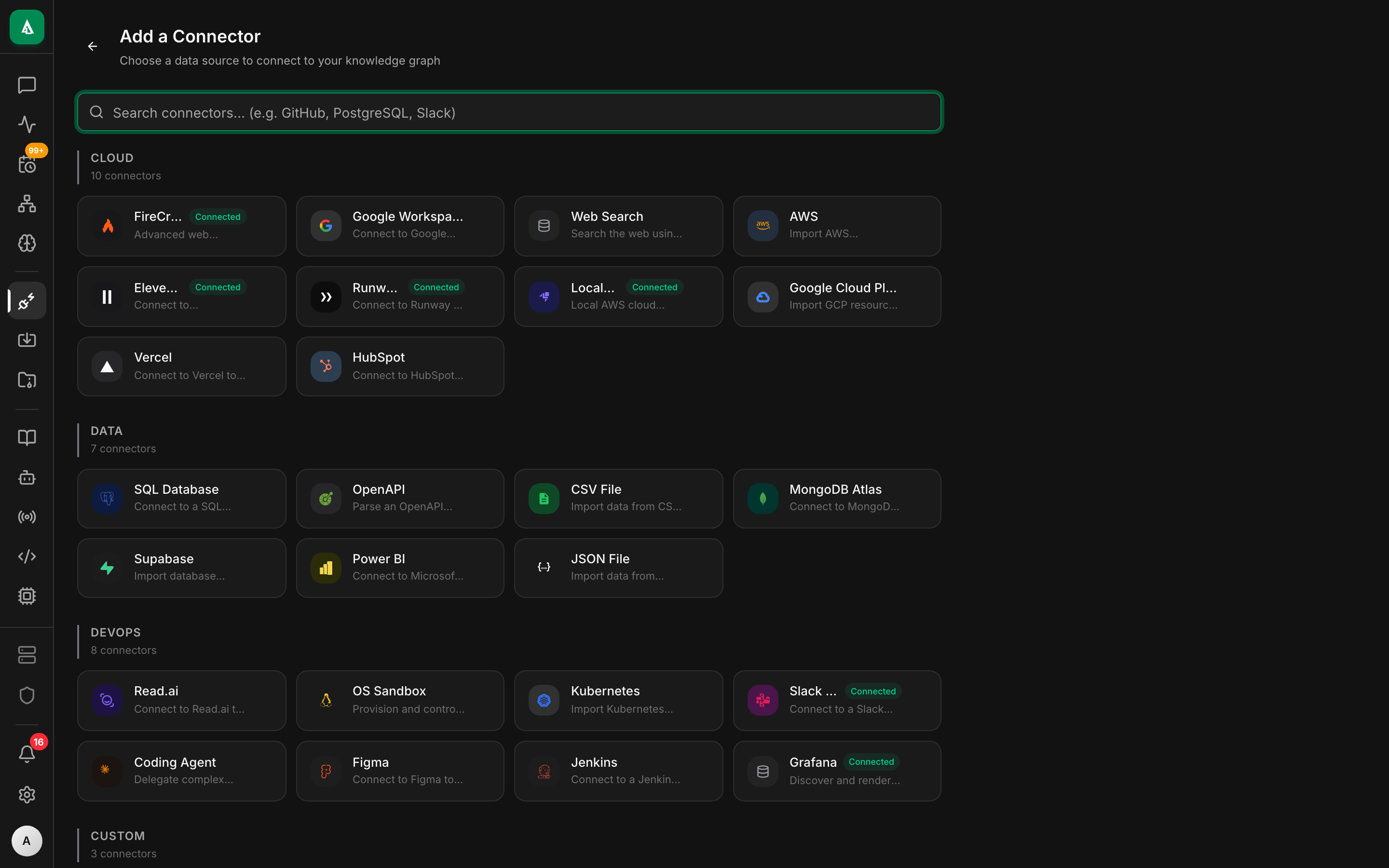
1. Configure the connectors
text
1. Open /connectors → click "+ Add Connector".
2. Pick GitHub → choose auth method (PAT, OAuth, or App).
3. Paste your token, set realm to "development", click Save.
4. Repeat for Jenkins (API token) and Vercel (API token).
5. The list shows each source with a green "Synced" pill once
the validate-config check passes.bash
# GitHub
curl -X POST http://localhost:8080/api/v1/sources \
  -H "authorization: Bearer $TOKEN" -H 'content-type: application/json' \
  -d '{
    "name":"github-primary",
    "connector":"github",
    "realm":"development",
    "config":{"auth":{"kind":"pat","token":"ghp_..."},"orgs":["acme"]}
  }'

# Jenkins
curl -X POST http://localhost:8080/api/v1/sources \
  -H "authorization: Bearer $TOKEN" -H 'content-type: application/json' \
  -d '{
    "name":"jenkins-prod",
    "connector":"jenkins",
    "realm":"development",
    "config":{"url":"https://jenkins.internal","username":"agentcy-bot","api_token":"11a2b..."}
  }'

# Vercel
curl -X POST http://localhost:8080/api/v1/sources \
  -H "authorization: Bearer $TOKEN" -H 'content-type: application/json' \
  -d '{
    "name":"vercel-prod",
    "connector":"vercel",
    "realm":"development",
    "config":{"token":"hL8j...","team_id":"team_..."}
}'Validate each with the Test button in the UI, or GET /api/v1/sources/$ID/test via API. Bad credentials fail at this step, not later.
2. Configure Slack
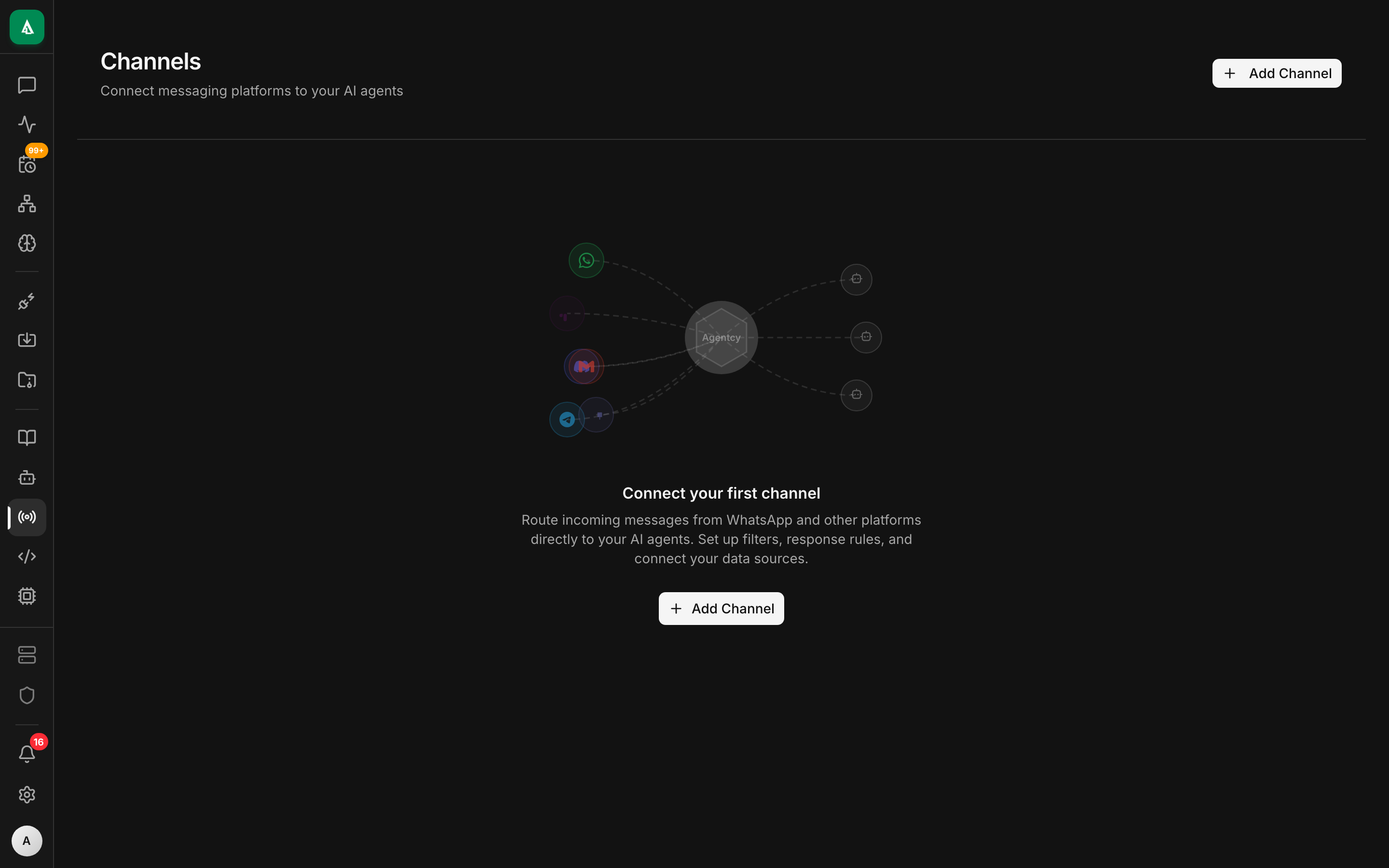
See How-To: Slack Channel for the full Slack-app walkthrough. After configuring, route inbound @agentcy-bot mentions in #eng-help to your default agent:
text
1. Open /channels → click the Slack card.
2. Paste the Bot Token (xoxb-...) and App Token (xapp-...).
3. Click Configure → channel auto-activates.
4. Click "Bindings" → "+ New binding".
5. Agent: default · Channel: slack · Channel name: #eng-help · Mentioned: yes.
6. Save.bash
curl -X POST http://localhost:8080/api/v1/bindings \
  -H "authorization: Bearer $TOKEN" -H 'content-type: application/json' \
  -d '{
    "agent":"default",
    "match_rule":{"channel":"slack","slack_channel":"#eng-help","mentioned":true}
}'3. Create the daily digest task
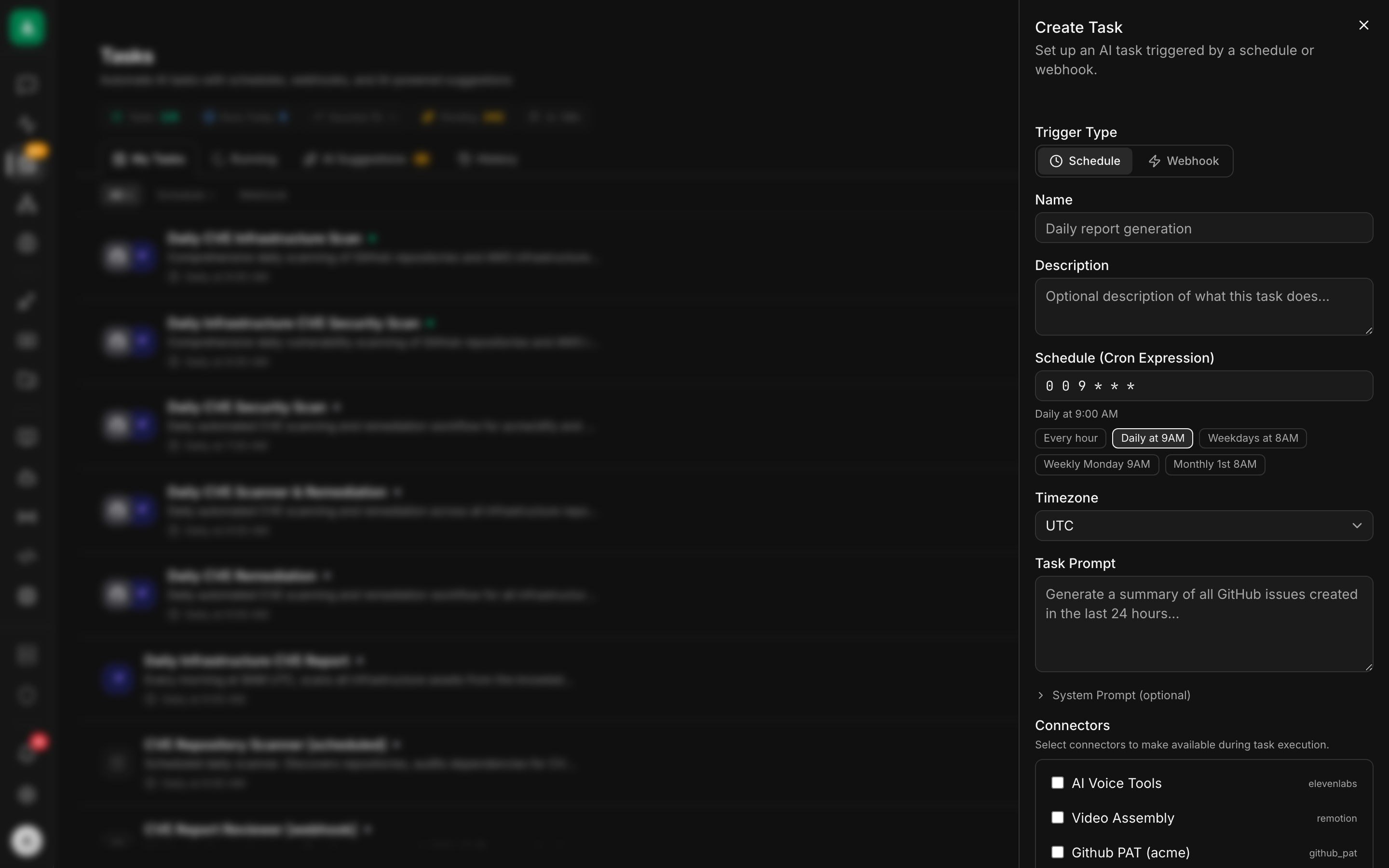
text
1. Open /tasks → click "+ New Task".
2. Trigger Type: Schedule.
3. Name: cicd-daily-digest.
4. Cron: 0 9 * * 1-5  (the form has presets — pick "Weekdays at 9 AM").
5. Timezone: UTC.
6. Task Prompt: paste the instruction from the API tab below.
7. Connectors: tick github-primary, jenkins-prod, vercel-prod, slack.
8. Save.bash
curl -X POST http://localhost:8080/api/v1/tasks \
  -H "authorization: Bearer $TOKEN" -H 'content-type: application/json' \
  -d '{
    "name":"cicd-daily-digest",
    "agent":"default",
    "realm":"development",
    "trigger":{"kind":"schedule","cron":"0 9 * * 1-5"},
    "input_template":{
      "instruction":"Post a daily CI/CD summary to Slack #eng-standup. Include: (a) PRs older than 24h that are still open, (b) Jenkins jobs that have failed in the last 24h, (c) the most recent successful production deploy on Vercel and its commit SHA. Keep it under 12 lines. Use bullet points. Tag the PR author for any stale PRs."
    }
}'The agent receives this exact instruction on every fire. It uses search_connector_tools to find the right tools (e.g. github.list_pulls, jenkins.list_failed_builds, vercel.list_deployments) and slack.post_message to send the summary.
4. Create the on-failure trigger
text
1. Open /tasks → click "+ New Task".
2. Trigger Type: Webhook.
3. Name: cicd-failure-pager.
4. Task Prompt: paste the instruction from the API tab below.
5. Save.
6. Copy the Webhook URL and Secret shown after save.
7. In Jenkins: Job → Configure → Post-build Action → "HTTP Request"
   plugin. URL = the webhook URL. Add an HMAC signing step (see
   /how-to/automations/webhooks).
8. In Vercel: Project → Settings → Webhooks → Add. URL = same. Events:
"Deployment Failed".bash
curl -X POST http://localhost:8080/api/v1/tasks \
  -H "authorization: Bearer $TOKEN" -H 'content-type: application/json' \
  -d '{
    "name":"cicd-failure-pager",
    "agent":"default",
    "realm":"development",
    "trigger":{"kind":"webhook"},
    "input_template":{
      "instruction":"A CI/CD failure event arrived: {{trigger.body}}. Diagnose: identify the commit, the author, what changed in the diff, whether a similar failure happened in the last 7 days. Post a one-paragraph hypothesis in Slack #eng-incidents. If a previous build of the same job succeeded within the last hour, mention which commit was good."
    }
}'The webhook URL + secret are returned on creation. Configure Jenkins (post-build HTTP request) and Vercel (Project → Webhooks) to POST signed events to that URL. See Webhooks & Triggers for HMAC details.
5. Test with a sample payload
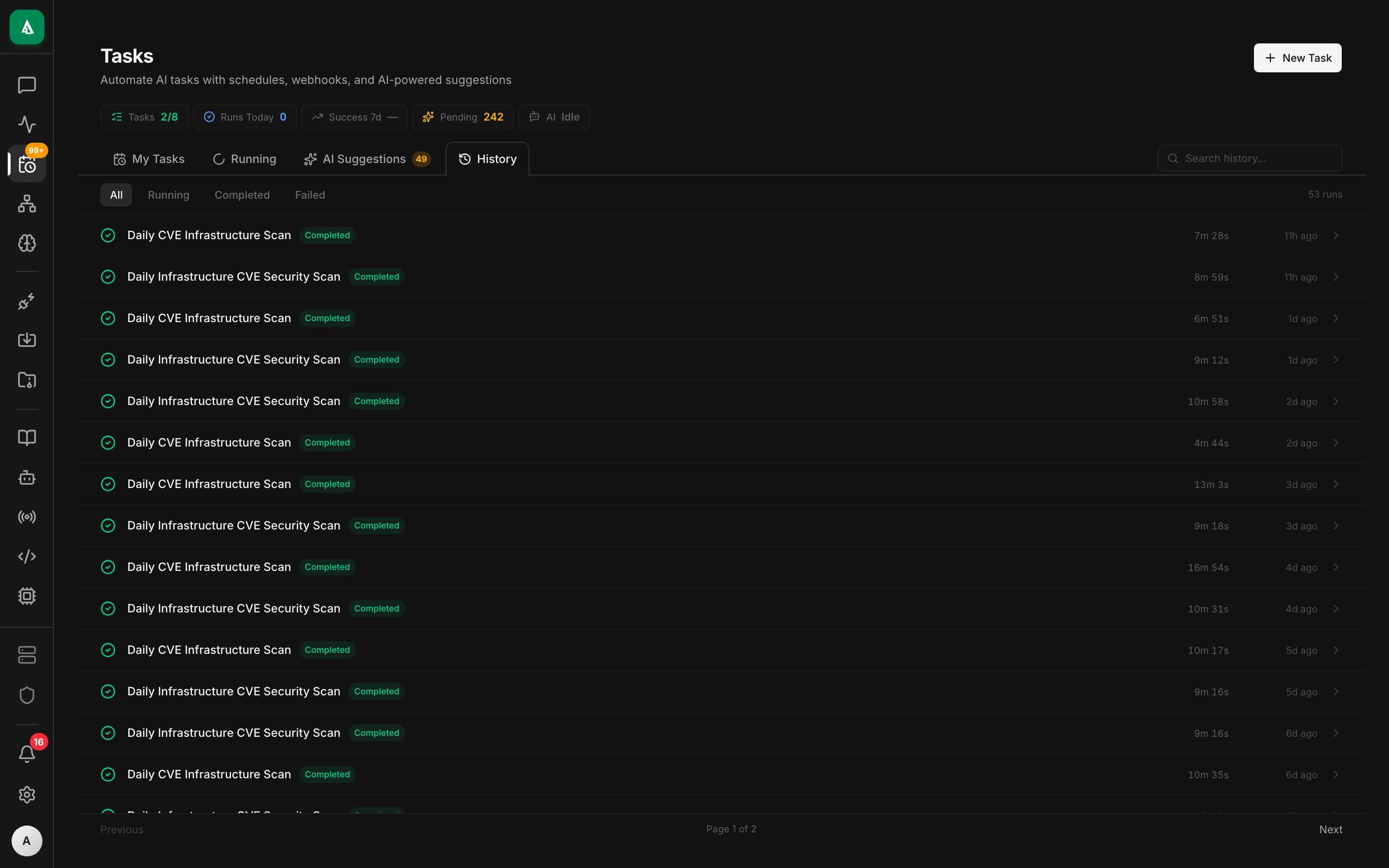
Don't wait for a real failure to test the wiring:
text
1. Open /tasks → click cicd-failure-pager.
2. Click the "Test with sample payload" button.
3. Pick "jenkins-build-failed" from the dropdown.
4. Click "Run".
5. Watch the run stream in the right pane. Approvals (if any) show
inline with Approve / Deny buttons.bash
# List built-in samples
curl http://localhost:8080/api/v1/webhook-samples \
  -H "authorization: Bearer $TOKEN" | jq

# Fire one into your task
curl -X POST http://localhost:8080/api/v1/webhook-samples/jenkins-build-failed/run \
  -H "authorization: Bearer $TOKEN" -H 'content-type: application/json' \
  -d '{"task_id":"task_..."}'

# Stream the run events live
curl -N "http://localhost:8080/api/v1/tasks/$TASK_ID/runs/$RUN_ID/events" \
-H "authorization: Bearer $TOKEN"The task runs end-to-end against the sample. Check the result in the History tab — full transcript + the Slack message it sent.
Worked example
Here's the daily-digest task with production-ready knobs:
json
{
  "name": "cicd-daily-digest",
  "agent": "default",
  "realm": "development",
  "trigger": { "kind": "schedule", "cron": "0 9 * * 1-5" },
  "input_template": {
    "instruction": "Post a daily CI/CD summary to Slack #eng-standup. Include: (a) PRs older than 24h that are still open, with the author tagged using slack mentions; (b) Jenkins jobs that have failed in the last 24h, grouped by job name; (c) the most recent production Vercel deploy and its commit SHA. Format as a bulleted Slack message, max 12 lines. If everything is green, say 'All systems green ✅' on a single line.",
    "github_orgs": ["acme"],
    "slack_channel": "#eng-standup"
  },
  "approval_defaults": { "write": "allow" },
  "cost_cap_usd_per_day": 1.50,
  "max_concurrent_runs": 1
}Notes:
approval_defaults.write = allow— for a daily digest, gating every Slack post on human approval would defeat the purpose. The policy below scopes this to "Slack post_message only". Other write tools (github.create_pulletc.) still require approval globally.cost_cap_usd_per_day = 1.50— kills runs that spike (a runaway tool loop) before they cost real money.
Optional companion policy (Rego) so the relaxed approval is scoped:
rego
package agentcy.cicd

# Allow Slack post_message from this task without approval; require approval for any other write.
allow {
  input.subject.task == "cicd-daily-digest"
  input.resource.connector == "slack"
  input.resource.tool == "slack.post_message"
}What good looks like
A daily-digest task run with a frontier model produces something like this in Slack:
CI/CD digest · 25 Apr • 3 stale PRs in
acme/monolith: #412 (@alice, 32h), #418 (@bob, 27h), #421 (@carol, 25h) • 1 failing Jenkins job:monolith-integration-tests(last 4 runs red, started failing on commit7f3a12d) • Last prod deploy:acme-web→ commit9b2c0e1at 14:02 UTC, succeeded • Vercel previews: 8 active, oldest 2 days
The on-failure pager produces something like:
🚨
monolith-integration-testsfailed onmainat commit7f3a12d(@dave). Diff includes a change todb_pool.rsthat may have raised connection acquisition latency past the test timeout. Last green build was 19m ago at5e1ab40. PR #412 (@alice) merged in between with a related lock-ordering change.
You can see the underlying tool calls in the task run transcript: github.get_commit, github.diff, jenkins.console_log, slack.post_message.
Variations
- Twice-daily digest. Change the cron to
0 9,17 * * 1-5. - Per-team channels. Run the same task multiple times with different
slack_channeland agithub_orgsfilter; bind each to its own Slack channel via separate Tasks. - Add Grafana to the on-failure flow — for backend services, append "and check Grafana for the service's request error rate at the time of the build failure" to the instruction. Requires a Grafana source; see Grafana connector.
- Replace Slack with email. Use the email channel binding instead of Slack — the recipe shape stays identical.
Troubleshooting
The digest task fires but Slack shows nothing. The bot probably isn't a member of #eng-standup. Either invite it (/invite @agentcy-bot in Slack) or grant the chat:write.public scope. Check the task run transcript — you'll see the slack.post_message tool result with error.code = "not_in_channel".
Jenkins webhook fires but the task run is empty. Jenkins's HTTP-Request plugin doesn't sign payloads by default. Either add the HMAC signing in Jenkins' post-build script, or — for non-prod — temporarily turn the webhook trigger's verify_signature off. Don't do that in production.
The agent picks the wrong GitHub source when you have several. Pin sources on the conversation that backs the task: PATCH /tasks/$TASK_ID -d '{"enabled_source_ids":["src_github_primary","src_jenkins_prod","src_vercel_prod","src_slack_main"]}'. The agent sees only those.
The Vercel preview URL in the digest is wrong. Vercel returns the production deployment first by default. Pass target=preview in the tool args, or instruct the agent to filter by state=READY and target=production explicitly.
The daily digest costs more than the budget. A common cause is the agent paginating through every PR. Tell it to limit to state=open, sort=updated, direction=desc, per_page=50 in the instruction; long-tail PRs aren't worth the tokens.
Next
- Concept: Tasks, Workers & Workflows — when to swap to a worker.
- How-To: Approval Flows — gating destructive tools.
- Use Case: Automated Code Review — natural follow-on once CI/CD is plumbed.
- Use Case: SRE & Incident Response — same shape, different connectors.