
Appearance
Knowledge Retrieval
04KnowledgeCited Q&A
Context Graph tribal knowledge
indexed docs · meeting recaps · slack history · entity links
Sources


indexed
Agentcy

Agentcy
RAG agent + realms
cited answer
Output
Q&A
+ refs
At a glance
The agent's job: answer questions like "what did we decide about the auth migration last quarter?" by pulling from Google Workspace docs, Slack history, and Read.ai meeting transcripts — with citations to the original artifact.
Stack
- Google Workspace — Drive, Docs, Sheets, Calendar, Gmail.
- Slack — channels, threads, message history.
- Read.ai — meeting transcripts, action items, topics.
- RAG & Semantic Search — vector index over the ingested data.
- Memory System — store curated facts the team has explicitly agreed on.
- Realms — keep this knowledge in its own realm so it doesn't pollute infra/dev queries.
What you'll build
Three connectors feed an ingestion pipeline that lands content in the knowledge realm. Vector embeddings are computed locally by fastembed (no external embedding API needed). When a user asks a question, the agent uses rag.search to surface the top-K matching nodes and composes an answer with citations.
Prerequisites
- Google Workspace OAuth — admin-installed in your org so the connector can read the docs you scope it to.
- Slack — OAuth bot installed with
channels:history,groups:history,users:read,files:read,pins:read,bookmarks:read. - Read.ai — OAuth flow.
- A frontier-class LLM — recall returns up to top-K chunks; the LLM has to weave them into an answer with accurate citations.
- Workers (recommended) — first-time ingestion of a year of Slack history is heavy.
AGENTCY_FEATURES_WORKERS=true.
Step-by-step
1. Define the realm
Realms keep this knowledge from leaking into infrastructure or development queries.
text
1. Open /graph or /admin (whichever shows the Realms manager) →
   "+ New Realm".
2. Name: knowledge.
   Description: Institutional knowledge — docs, Slack history, meetings.
3. Save.bash
curl -X POST http://localhost:8080/api/v1/realms \
  -H "authorization: Bearer $TOKEN" -H 'content-type: application/json' \
-d '{"name":"knowledge","description":"Institutional knowledge: docs, Slack history, meetings"}'2. Configure the connectors
text
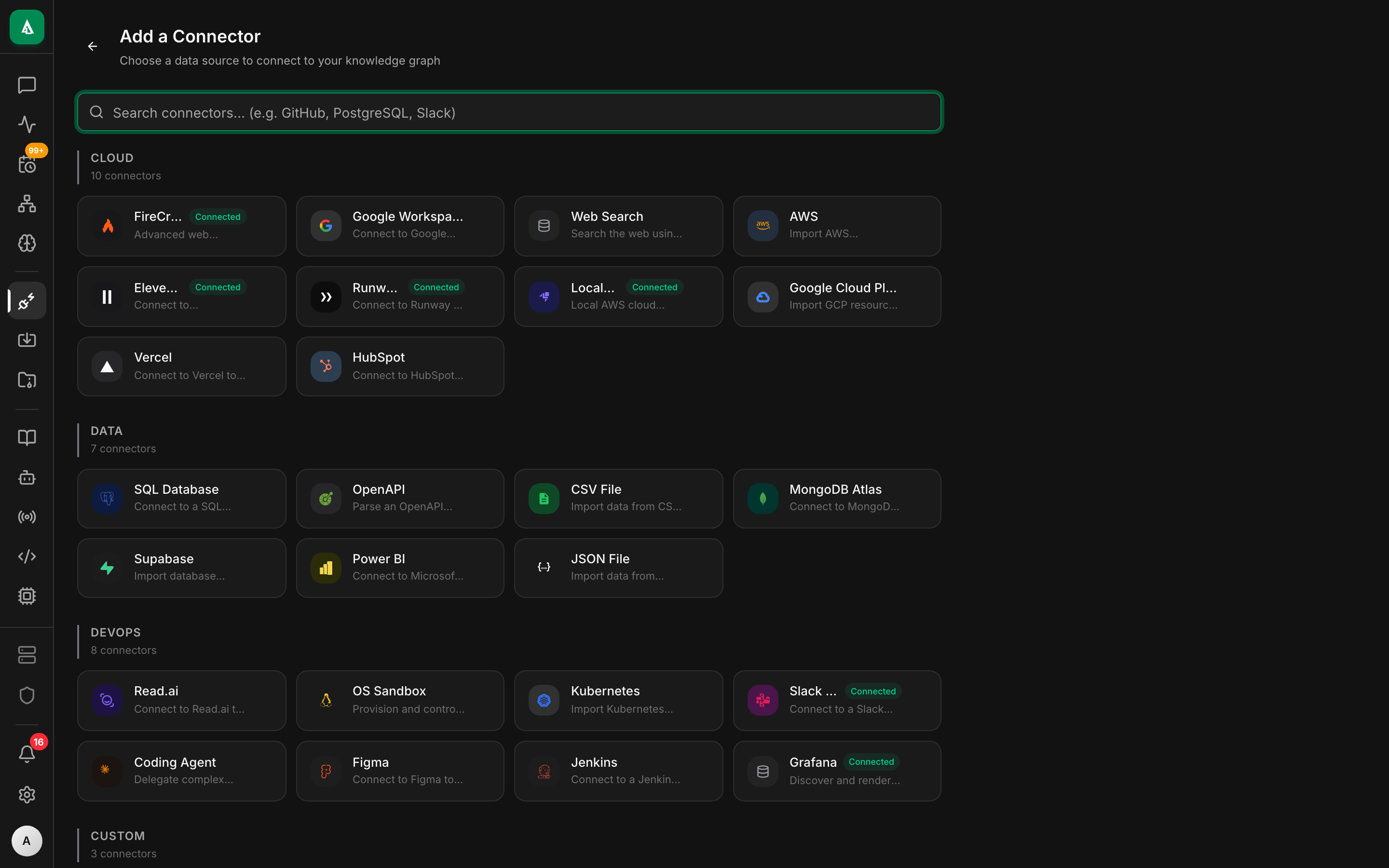
1. Open /connectors → click "+ Add Connector".
2. Pick Google Workspace → "Continue with OAuth". A Google sign-in
   tab opens; complete consent. Realm: knowledge.
3. Modules: tick Drive, Docs, Calendar, Gmail.
4. Repeat for Slack (use the same OAuth bot you set up for the
   Slack channel; History days = 365).
5. Repeat for Read.ai → "Continue with OAuth".
6. After each, click Test → green pill = ready.bash
# Google Workspace (OAuth — finishes in browser)
curl -X POST http://localhost:8080/api/v1/sources \
  -H "authorization: Bearer $TOKEN" -H 'content-type: application/json' \
  -d '{
    "name":"gw-main","connector":"google-workspace","realm":"knowledge",
    "config":{
      "auth":{"kind":"oauth"},
      "modules":["drive","docs","calendar","gmail"],
      "drive":{"shared_drives":["acme-eng","acme-product"]},
      "gmail":{"label_filter":["important","decisions"]}
    }
  }'

# Slack
curl -X POST http://localhost:8080/api/v1/sources \
  -H "authorization: Bearer $TOKEN" -H 'content-type: application/json' \
  -d '{
    "name":"slack-history","connector":"slack","realm":"knowledge",
    "config":{
      "auth":{"kind":"bot_token","token":"xoxb-..."},
      "channels":["eng-decisions","product","architecture"],
      "history_days":365
    }
  }'

# Read.ai
curl -X POST http://localhost:8080/api/v1/sources \
  -H "authorization: Bearer $TOKEN" -H 'content-type: application/json' \
  -d '{
    "name":"readai-meetings","connector":"readai","realm":"knowledge",
    "config":{
      "auth":{"kind":"oauth"},
      "modules":["meetings","transcripts","action_items"]
    }
}'3. First sync
text
1. Open /connectors → click each source → Sync now.
2. With Workers on, syncs run in background; you'll see a progress
   indicator that updates as nodes are ingested.
3. Slack history backfill is the slow one — for a busy workspace
plan an hour or more. Subsequent runs are incremental and fast.bash
curl -X POST "http://localhost:8080/api/v1/sources/$SLACK_SOURCE_ID/sync" \
  -H "authorization: Bearer $TOKEN" -d '{"mode":"full"}'

# Watch progress
curl "http://localhost:8080/api/v1/sources/$SLACK_SOURCE_ID/sync-history" \
-H "authorization: Bearer $TOKEN" | jq4. Wire a recurring pipeline
text
1. Open /ingest → "+ New Pipeline".
2. Name: knowledge-refresh. Realm: knowledge.
3. Schedule: 0 4 * * *  (daily at 04:00 UTC).
4. Steps: add the three sources, mode = incremental for each.
5. Save → a green pill "Next run in N hours" appears.bash
curl -X POST http://localhost:8080/api/v1/pipelines \
  -H "authorization: Bearer $TOKEN" -H 'content-type: application/json' \
  -d '{
    "name":"knowledge-refresh",
    "realm":"knowledge",
    "schedule":"0 4 * * *",
    "steps":[
      {"connector":"google-workspace","source_id":"src_gw_main","mode":"incremental"},
      {"connector":"slack","source_id":"src_slack_history","mode":"incremental"},
      {"connector":"readai","source_id":"src_readai_meetings","mode":"incremental"}
    ]
}'5. Verify the vector index
text
1. Open /chat → start a new conversation pinned to realm: knowledge.
2. Type: "auth migration" — the agent calls rag.search and shows
hits with score + source URL in the right pane.bash
curl -X POST http://localhost:8080/api/v1/rag/search \
  -H "authorization: Bearer $TOKEN" -H 'content-type: application/json' \
-d '{"query":"auth migration","realms":["knowledge"],"top_k":5}'If top_k returns 0 hits, the embedding pipeline didn't run — check GET /api/v1/rag/status.
6. Use it from chat
text
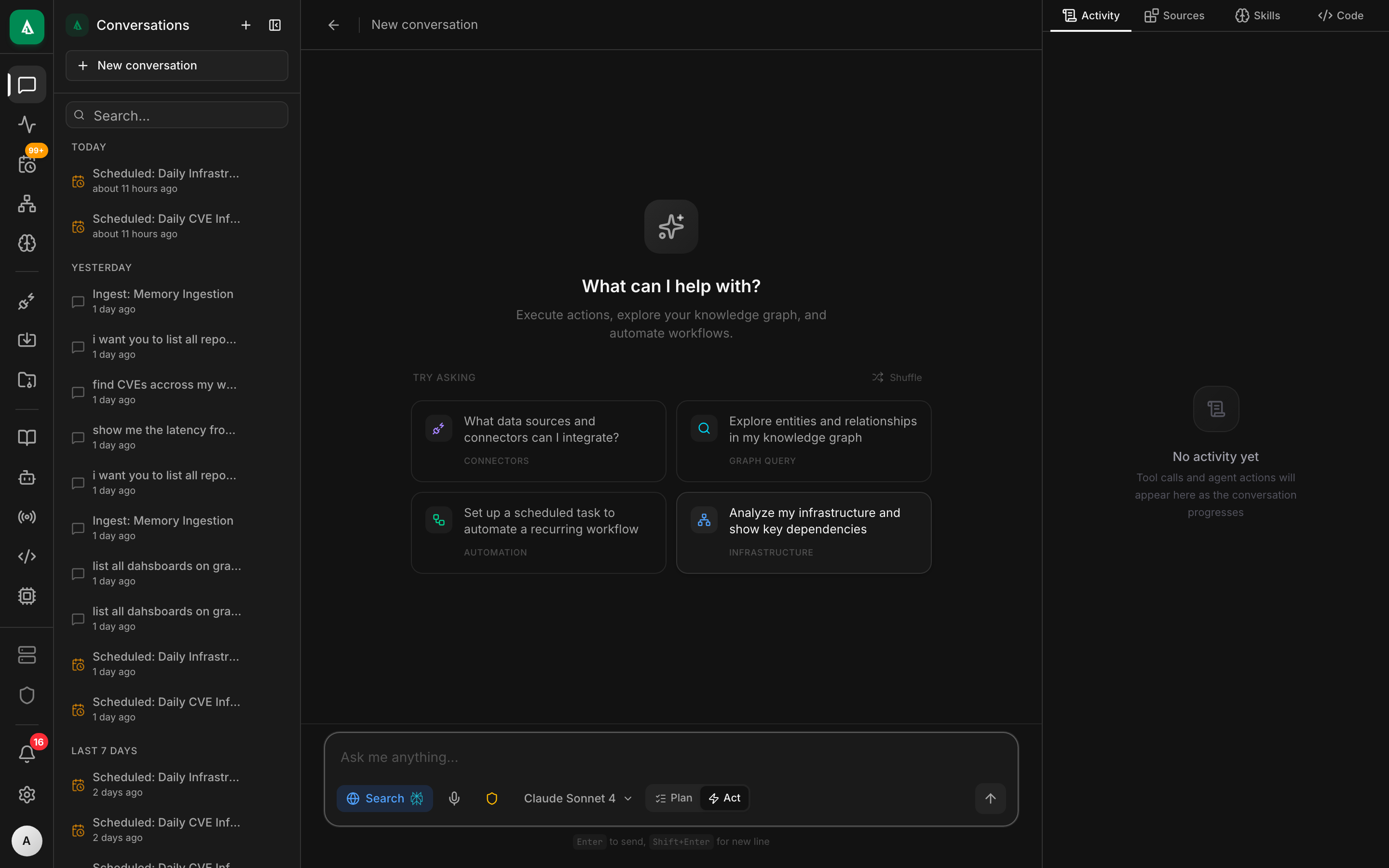
1. Open /chat → "+ New conversation". Realm: knowledge.
2. Ask: "What did we decide about migrating off Auth0 last quarter?
        Cite sources."
3. The agent returns an answer with clickable citation links.
4. To make it permanent, bind a Slack channel #ask-knowledge to the
default agent in this realm — see the binding example below.bash
CONV=$(curl -s http://localhost:8080/api/v1/chat/conversations \
  -H "authorization: Bearer $TOKEN" -H 'content-type: application/json' \
  -d '{"title":"auth migration history","realm":"knowledge"}' | jq -r .id)

curl -N -X POST "http://localhost:8080/api/v1/chat/conversations/$CONV/messages" \
  -H "authorization: Bearer $TOKEN" -H 'content-type: application/json' \
-d '{"content":"What did we decide about migrating off Auth0 last quarter? Cite sources."}'Worked example
A "knowledge agent" that monitors #ask-knowledge in Slack and answers questions there. Bind it once and the team gets a queryable corporate memory.
bash
curl -X POST http://localhost:8080/api/v1/bindings \
  -H "authorization: Bearer $TOKEN" -H 'content-type: application/json' \
  -d '{
    "agent":"default",
    "match_rule":{"channel":"slack","slack_channel":"#ask-knowledge","preserve_thread":true}
}'A scoped policy that enforces realm and read-only:
rego
package agentcy.knowledge

# This agent must operate within the knowledge realm
deny[msg] {
  input.subject.channel == "slack"
  input.subject.binding_realm == "knowledge"
  input.resource.realm != "knowledge"
  msg := "knowledge agent must stay in knowledge realm"
}

# Read tools auto-allow; everything else needs approval
allow {
  input.resource.tool_effect == "read"
}A short system note attached to the agent that nudges citation behavior:
You answer questions from the team's institutional knowledge. Always cite at
least one source per claim — a Google Doc URL, a Slack permalink, or a Read.ai
meeting URL with timestamp. If the corpus has no good answer, say so plainly;
never invent a citation.What good looks like
In #ask-knowledge:
@alice: What did we decide about the Auth0 migration last quarter?
🤖 Agentcy:
Decision was to keep Auth0 for SSO and add an in-house token service for service-to-service — not a full migration. Driven by Q3 cost analysis showing Auth0 charges were dominated by M2M tokens.
Sources:
- Google Doc: "Auth strategy 2026" — final recommendation, ratified 2026-02-14.
- Slack thread: #architecture · 2026-02-12 — the discussion that led to the doc.
- Read.ai meeting: "Auth review · 2026-02-13" at 17:42 — Bob's clarifying question + Alice's confirmation.
The transcript shows the agent called rag.search for "auth migration decision", then rag.search again for "auth0 SSO M2M cost", then composed.
Variations
- Per-team scopes. Make a realm per team (
knowledge-eng,knowledge-product, …). Each team's#ask-knowledgebinding pins to the right realm. - Trust scoring. Add a step to the pipeline that tags each Google Doc with a
confidencebased on age. Prompt the agent to prefer high-confidence sources or flag low-confidence ones. - Email integration. Same connector, add
gmailmodule with a label filter (label:decisionsorlabel:important). - Slack message commit-back. When the team agrees on something in chat, react with
:memo:and have a task pick up the message and write a Memory entry — making it permanently durable beyond Slack's history. - Curated facts via Memory. Use the Memory system for facts the team explicitly agrees on. Memories carry higher weight in recall than raw ingested chunks.
Troubleshooting
Recall returns 0 hits, but I know the doc exists. First check GET /api/v1/sources/$GW_SOURCE_ID/sync-history — was it ingested? If yes, inspect a sample node: GET /api/v1/graph/search?q=<doc-title>&realm=knowledge. If the node exists but recall doesn't find it, the embedding likely failed. Re-run with POST /api/v1/rag/reindex for that label.
Read.ai returns 401 after a few days. Their access tokens expire and refresh tokens are 30-day. The connector handles refresh automatically, but if no one signs into Agentcy for a while the refresh window can lapse. Re-authorize via the OAuth flow.
Citations link to private Slack messages people can't read. The bot saw them because it's in the channel; the user asking might not be. Add a check in the instruction: "only cite messages from public channels, or from channels the asking user is a member of."
The agent invents a citation that doesn't exist. Smaller models do this. Switch to a frontier model. Also strengthen the prompt: "If the corpus has no relevant source, say 'I don't see this in our records' — never invent."
Slack history backfill takes forever and dies. Slack's conversations.history API is rate-limited. The connector handles 429 gracefully but huge backfills are slow. Either narrow channels in the source config or set history_days: 90 for an initial sync; widen later.
Next
- How-To: RAG & Semantic Search — tuning the index, hybrid search.
- Concept: Memory System — for curated facts beyond ingested chunks.
- Concept: Knowledge Graph & Realms — multi-realm partitioning.
- Use Case: CI/CD Intelligence — same shape with build/deploy data.