
Appearance
Chat API & Streaming
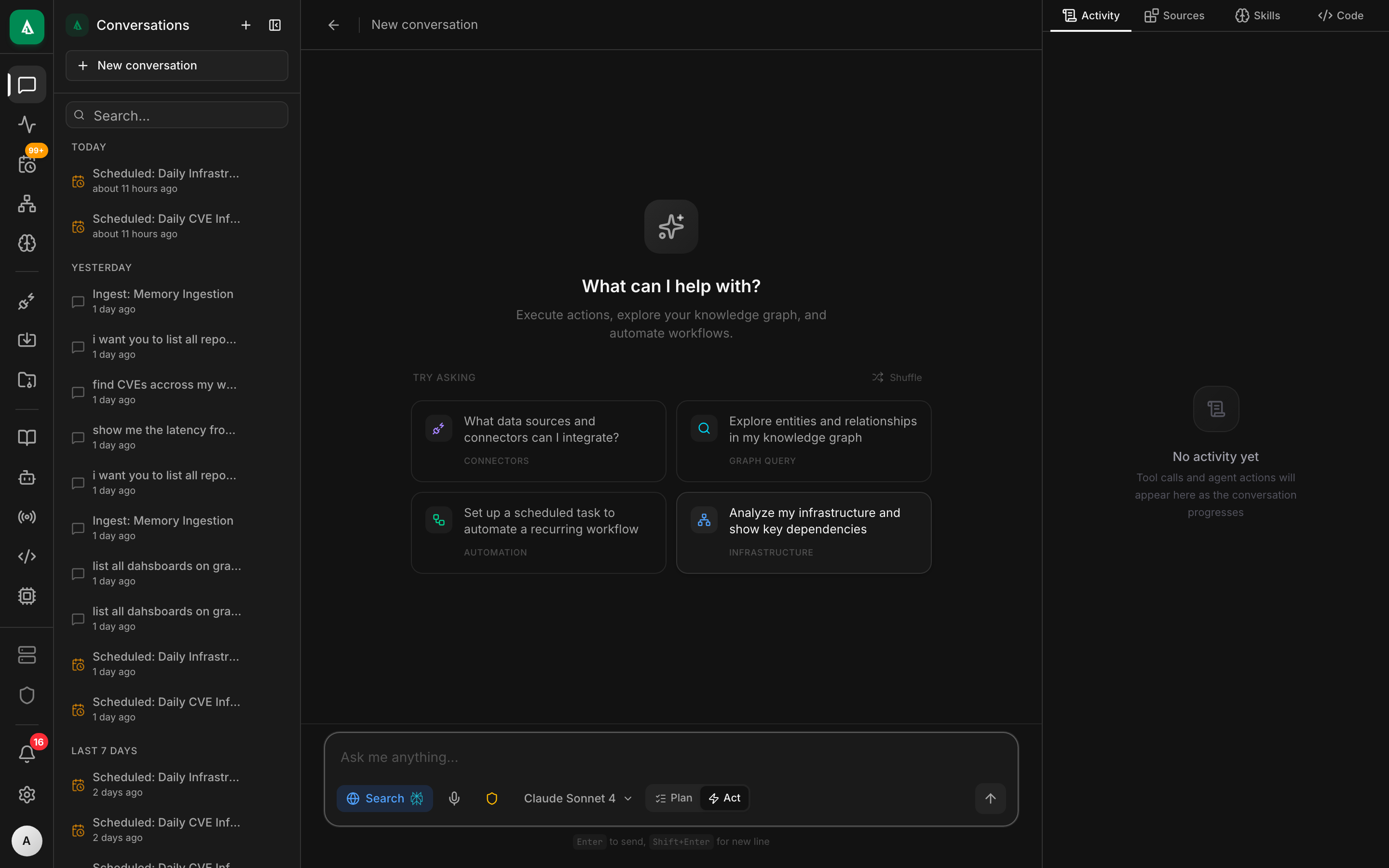
The chat API is the primary way to talk to an agent. Every conversation is an ordered list of messages; every response comes back as a Server-Sent Events (SSE) stream.
Minimal end-to-end
bash
# 1. Get a token
TOKEN=$(curl -s http://localhost:8080/api/v1/auth/login \
  -H 'content-type: application/json' \
  -d '{"email":"admin@localhost","password":"admin"}' | jq -r .token)

# 2. Create a conversation
CONV=$(curl -s http://localhost:8080/api/v1/chat/conversations \
  -H "authorization: Bearer $TOKEN" \
  -H 'content-type: application/json' \
  -d '{"title":"diagnose checkout","realm":"infrastructure"}' | jq -r .id)

# 3. Send a message; stream response
curl -N -X POST http://localhost:8080/api/v1/chat/conversations/$CONV/messages \
  -H "authorization: Bearer $TOKEN" \
  -H 'content-type: application/json' \
-d '{"content":"which services in prod-us are down right now?"}'You'll see an SSE stream.
The SSE event schema
event: message_start
data: {"message_id":"msg_01HABCXYZ"}

event: content_delta
data: {"delta":"Looking at the cluster…"}

event: tool_call_start
data: {"tool_call_id":"tc_01","name":"search_connector_tools","args":{"query":"pod status"}}

event: tool_call_delta        # streamed args for long tool args
data: {"tool_call_id":"tc_01","args_delta":"\"top_k\":5}"}

event: tool_result
data: {"tool_call_id":"tc_01","result":{"tools":[{"name":"kubernetes.list_pods","score":0.91}]}}

event: approval_required      # optional, for risky tools
data: {"approval_id":"apr_01","tool":"kubernetes.delete_pod","args":{…}}

event: content_delta
data: {"delta":"Found 2 pods in CrashLoopBackoff…"}

event: message_end
data: {"finish_reason":"end_turn","usage":{"in_tokens":8213,"out_tokens":412,"cost_usd":0.012}}Terminal events:
message_end(finish_reason:end_turn/max_iterations/cancelled)error— unrecoverable; connection closesping— keepalive every 15s while blocked on approval or long tool
Receiving in Node.js
js
import { EventSource } from "eventsource";

const es = new EventSource(
  `${BASE}/chat/conversations/${convId}/messages/stream?token=${token}`,
);

es.addEventListener("content_delta", (e) => {
  const { delta } = JSON.parse(e.data);
  process.stdout.write(delta);
});

es.addEventListener("tool_call_start", (e) => {
  const { name, connector } = JSON.parse(e.data);
  console.error(`\n[tool] ${connector}.${name}`);
});

es.addEventListener("approval_required", (e) => {
  const { approval_id } = JSON.parse(e.data);
  // Prompt the user, then POST to the approval endpoint.
});

es.addEventListener("message_end", () => es.close());
es.addEventListener("error", (e) => console.error("stream error", e));Note the ?token= query form: SSE from browsers can't send custom headers, so we accept the token as a query param when Origin matches a configured allowlist.
Receiving in curl (for debugging)
bash
curl -N -s -H "authorization: Bearer $TOKEN" \
  -H 'content-type: application/json' \
  "http://localhost:8080/api/v1/chat/conversations/$CONV/messages" \
  -d '{"content":"hello"}' \
  | sed -n 's/^data: //p' \
| jq -c '.'Reconnecting after a drop
Every SSE event is idempotent and uniquely id'd. To resume after a disconnect, re-open the stream with ?after=<last_event_id>:
bash
curl -N "http://…/messages/stream?after=tc_01" -H "authorization: Bearer $TOKEN"The server re-plays events with id > after from Redis (kept for 5 minutes) and resumes live streaming.
If the gap is older than 5 minutes, re-fetch the whole conversation with GET /api/v1/chat/conversations/:id and start a new stream.
Listing / paginating
bash
# List conversations for the current user
curl -s "http://…/chat/conversations?limit=50" -H "authorization: Bearer $TOKEN" | jq

# Full transcript
curl -s "http://…/chat/conversations/$CONV" -H "authorization: Bearer $TOKEN" | jq

# Search across conversations
curl -s "http://…/chat/conversations?q=checkout+outage" -H "authorization: Bearer $TOKEN" | jqRealms and tool catalogs
A conversation's realm governs which connector tools the agent can see. Change it mid-conversation:
bash
curl -X PATCH "http://…/chat/conversations/$CONV" \
  -H "authorization: Bearer $TOKEN" -H 'content-type: application/json' \
-d '{"realm":"development"}'Pin a specific connector list (overrides realm-based selection for this conversation only):
bash
curl -X PATCH "http://…/chat/conversations/$CONV" \
  -H "authorization: Bearer $TOKEN" -H 'content-type: application/json' \
-d '{"enabled_source_ids":["src_github_primary","src_k8s_prod"]}'See How-To: Tool Calling & the Catalog.
Cost tracking
Every message_end carries a usage object with input/output token counts and estimated cost. The API also stores cumulative cost per conversation, per user, per org — query via GET /api/v1/chat/usage?group_by=user&since=<ts>.
Cancellation
bash
curl -X POST "http://…/chat/conversations/$CONV/cancel" \
-H "authorization: Bearer $TOKEN"Sets an atomic cancel flag; the agent loop exits after the current tool call and emits message_end with finish_reason: "cancelled".
Incoming webhooks
If you want to deliver messages from an external system without a JWT, use the incoming-chat webhook:
bash
# Set up a webhook-enabled conversation
curl -X POST "http://…/chat/conversations" \
  -H "authorization: Bearer $TOKEN" -H 'content-type: application/json' \
  -d '{"title":"pager","webhook":{"enabled":true}}' | jq
# -> { "id":"conv_…", "webhook":{"secret":"whsec_…","url":"/chat/incoming/webchat/conv_…"} }

# Post from anywhere, signed with HMAC
curl -X POST "http://…/chat/incoming/webchat/conv_…" \
  -H "x-agentcy-signature: sha256=$SIG" \
-d '{"content":"new alert: cpu > 90%"}'Auth uses HMAC against the webhook secret — not the user JWT.
Gotchas
- Parsing SSE without a library is error-prone. Multi-line
data:fields, blank lines delimit events,event:defaults tomessage. Use a library. - Tool call args stream. If you need the full args, wait for the next non-delta event or the
tool_resultevent — don't act on partial args. - The approval race. If you POST the approval before the stream has started, the approval registry might not yet have the oneshot; the server returns 409
pending_not_found. Retry after 200ms.
Next
- How-To: Tool Calling & the Catalog — how the agent picks tools.
- How-To: Approval Flows — human-in-the-loop.
- Reference: REST API — the full contract.