
Appearance
Sandbox & Artifacts
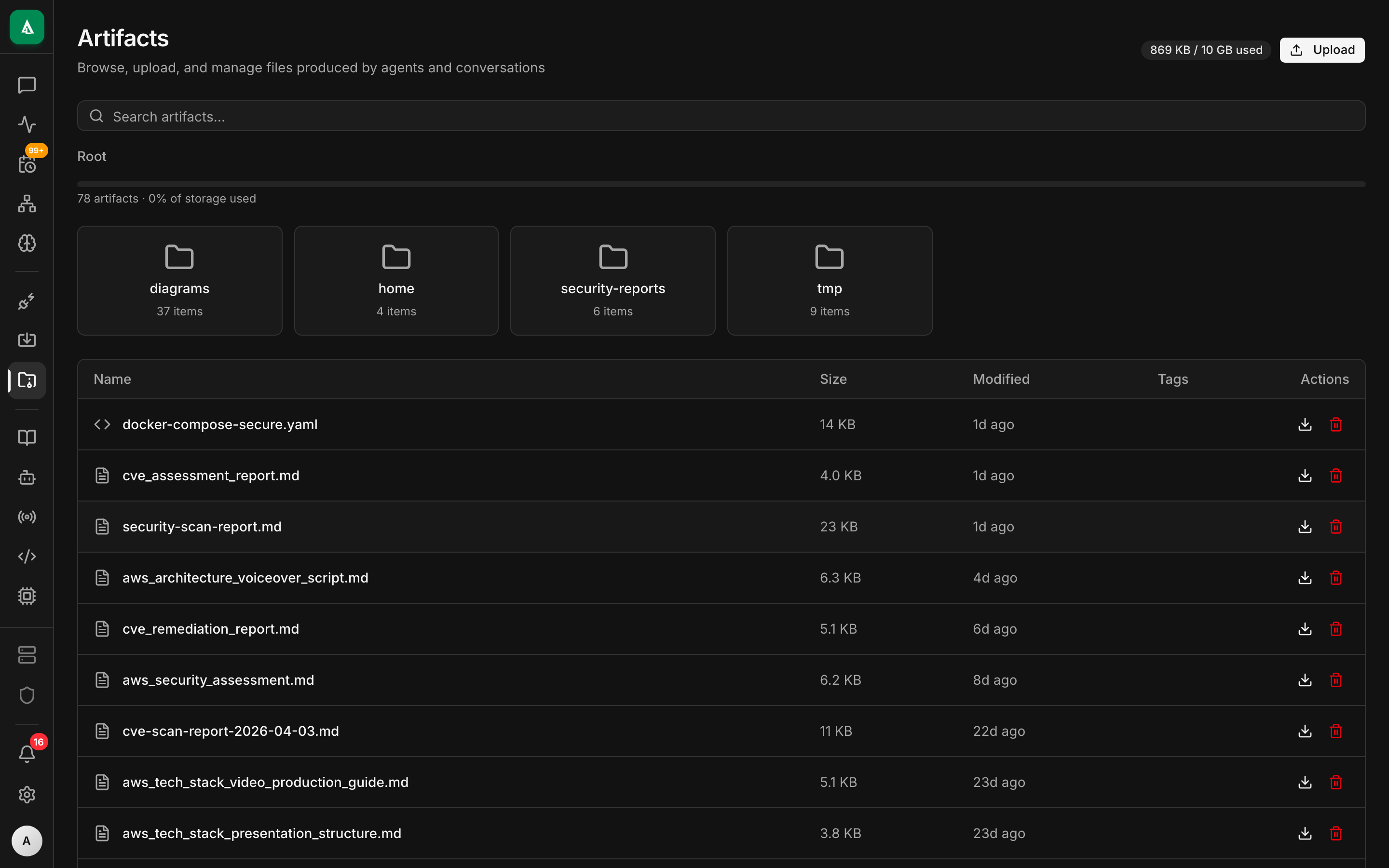
During a CIAB session, the agent produces things: files, logs, rendered videos, a running web server on localhost. This page covers how Agentcy exposes them, how they persist (or don't), and how to move them between sessions.
Concept: CIAB Overview.
Preview URLs for live services
When the agent starts an HTTP server inside the sandbox (npm run dev, python -m http.server, etc.), the port is tunneled back to Agentcy and exposed at:
https://your-agentcy/sandbox/preview/<session_id>/<port>/?token=<jwt>The token is a short-lived JWT scoped to {session_id, port} — safe to share as a read-only URL during a demo. Revoked on session end.
Use GET /api/v1/ciab-native/sessions/:sid/ports to list currently bound ports and get signed URLs.
Artifacts
Files the agent explicitly wants to hand to the user go to the artifact store:
execute_connector_tool("ciab","publish_artifact",{
  "session_id": "…",
  "path":       "/home/ciab/work/build/output.mp4",
  "mime":       "video/mp4",
  "description":"The final demo render"
})The API copies the file to the configured backend (AGENTCY_ARTIFACT_BACKEND=local|s3) and returns an artifact id. The UI shows it in the conversation with a signed download URL.
List:
bash
curl http://…/artifacts -H "authorization: Bearer $TOKEN" | jqArtifacts outlive sessions.
Snapshots
A snapshot is a tarball of the session work directory, stored in the artifact store. Useful when you want to pause and resume work across days:
bash
# Snapshot
curl -X POST "http://…/ciab-native/sessions/$SID/snapshot" \
  -H "authorization: Bearer $TOKEN" -d '{"label":"payments-fix-wip"}' | jq

# Restore into a new session
curl -X POST "http://…/ciab-native/sessions" \
  -H "authorization: Bearer $TOKEN" \
-d '{"runtime":"ec2","restore":"snap_…"}'File listing and reading
Inside a running session, two tools are always available:
ciab.list_files(session_id, path)  -> [{name, size, mode, modified}, …]
ciab.read_file(session_id, path) -> base64 content (if binary) or textHandy for the UI to show a file browser without a full SSH pipe.
Writing files
ciab.write_file(session_id, path, content, mode)Policy-gated. The default policy requires approval for ciab.write_file on any path outside /home/ciab/work/.
Shell
ciab.shell(session_id, cmd, cwd, timeout_secs) -> { stdout, stderr, exit_code }Shells run in bash -lc. Output is captured; for long-running streams, use ciab.shell_stream which returns a stream id and lets you tail via SSE.
Persistence choices
| Mode | Retention | Cost |
|---|---|---|
ephemeral (default) | wiped on session end | 0 |
snapshot-on-idle | auto-snapshot before termination | small (GB-sized tarballs) |
persistent-volume | EBS volume that survives sessions | per-GB-month |
Configure per-session or at org level. Persistent volumes are tagged with the user id and mounted on future sessions that opt in.
Security
- Preview URLs carry a 10-minute JWT by default. Override via
CIAB_PREVIEW_TOKEN_TTL. - Uploads to the artifact store are virus-scanned when
AGENTCY_ARTIFACT_SCAN=true(requires clamd). - Downloads from the artifact store are rate-limited per-user (1 GB/hour default).